Tasks that the agent does
Describe the task in plain words — the agent does it: a document, replies to customers, a deal in your CRM, a reconciliation with 1C, a report from a database. It works with files and services on your computer and asks before anything irreversible.
7 days free · priced in rubles · no card required · interface in English and Russian
On first launch Windows may warn that the publisher is unverified: click “More info” → “Run anyway”. The installer is downloaded only from here and updates itself.
Code, work and search — in one app
Switch the mode with a tab above the chat list. Each has its own tools; projects, tasks and memory are shared.
Sites and apps in your repository
Reads the project, edits files, runs builds and tests, opens the result in a live preview next to the chat. Git branches, checkpoints, sub-agents, MCP servers.
Documents, services and your computer
Word, Excel, PowerPoint and PDF; email, calendars, messengers, CRM, 1C, marketplaces, databases and dashboards; controls programs on your computer when there is no API.
Answers from the live web with sources
Searches, reads the pages with a real browser and answers with a footnote on every fact — like Perplexity, but with your files and services at hand.
The same agent — right in your editor
Writing code in VS Code or Cursor? Install the Paragon Agent extension: the agent works in a panel next to your code, with the same account, models and balance as the app.
Download and drop it into the editor
Drag the .vsix file onto the Extensions view (Ctrl+Shift+X) or run “Extensions: Install from VSIX…”. Sign in with your Digital Paragon account; the extension offers new versions by itself.
Windows · VS Code 1.106 or newer, VSCodium. For Cursor and VS Code 1.95–1.105 use the second file: the agent panel is on the left there.
- Edits right in the file. The agent’s changes are highlighted in your code: keep or undo each hunk, roll back a whole turn.
- Tab completions. Completes the line and suggests the next edit — up to 1,500 a day with Pro, Pro+, Team and the trial.
- Inline edit. Select code, press Ctrl+Alt+K and say what to change.
- Context with @. A file, a folder, problems, terminal output and git changes — from one list.
- Agent from the editor. Lightbulb on errors, “Explain code”, commit messages in the Git panel.
- Your models. Digital Paragon models with a subscription or balance — or your own provider keys.
And in PyCharm, WebStorm, IntelliJ IDEA
The same agent in its own panel in JetBrains IDEs — PyCharm, WebStorm, IntelliJ IDEA, GoLand, PhpStorm and more. Same account, models and balance as the app; no JetBrains AI subscription needed.
The installer does it all
It adds the Paragon Agent plugin to every JetBrains IDE on your computer. Restart the IDE, open the Paragon Agent panel on the right and sign in with your Digital Paragon account; the IDE installs new versions by itself.
Windows and Linux · IDE 2025.3 or newer. Without the installer: the plugin file for Windows or for Linux — Settings → Plugins → ⚙ → Install Plugin from Disk.
- Edits right in the file. The agent’s changes are highlighted in the editor: keep or undo each hunk, roll back a whole turn.
- Tab completions. Completes the line and suggests the next edit — up to 1,500 a day with Pro, Pro+, Team and the trial.
- Inline edit. Select code, press Ctrl+Alt+K and say what to change.
- Context with @. A file, a folder, a symbol, problems, terminal output and git changes — from one list.
- Agent from the IDE. Lightbulb on errors (Alt+Enter), “Explain code”, commit messages in the Commit window.
- Your models. Digital Paragon models with a subscription or balance — or your own provider keys.
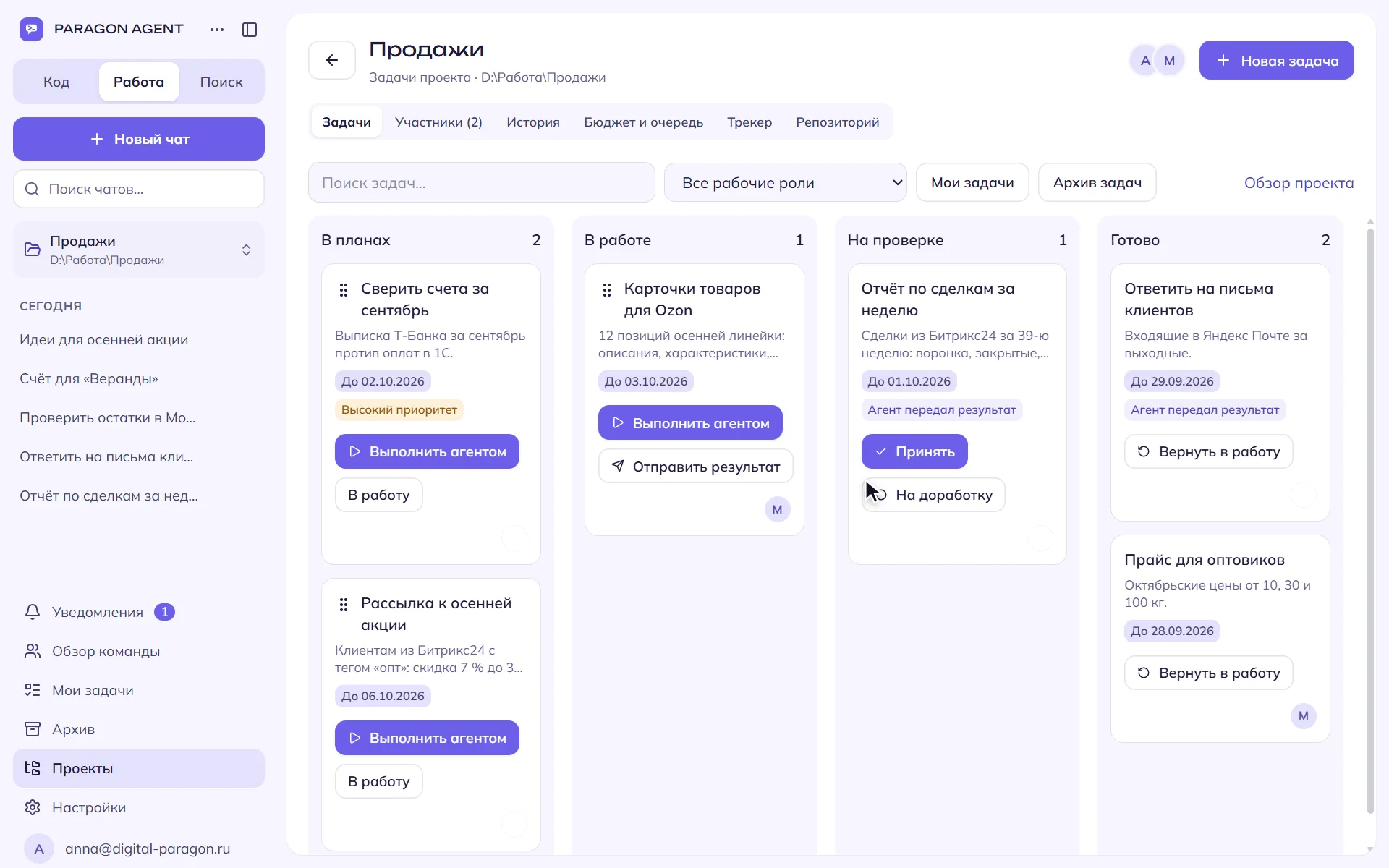
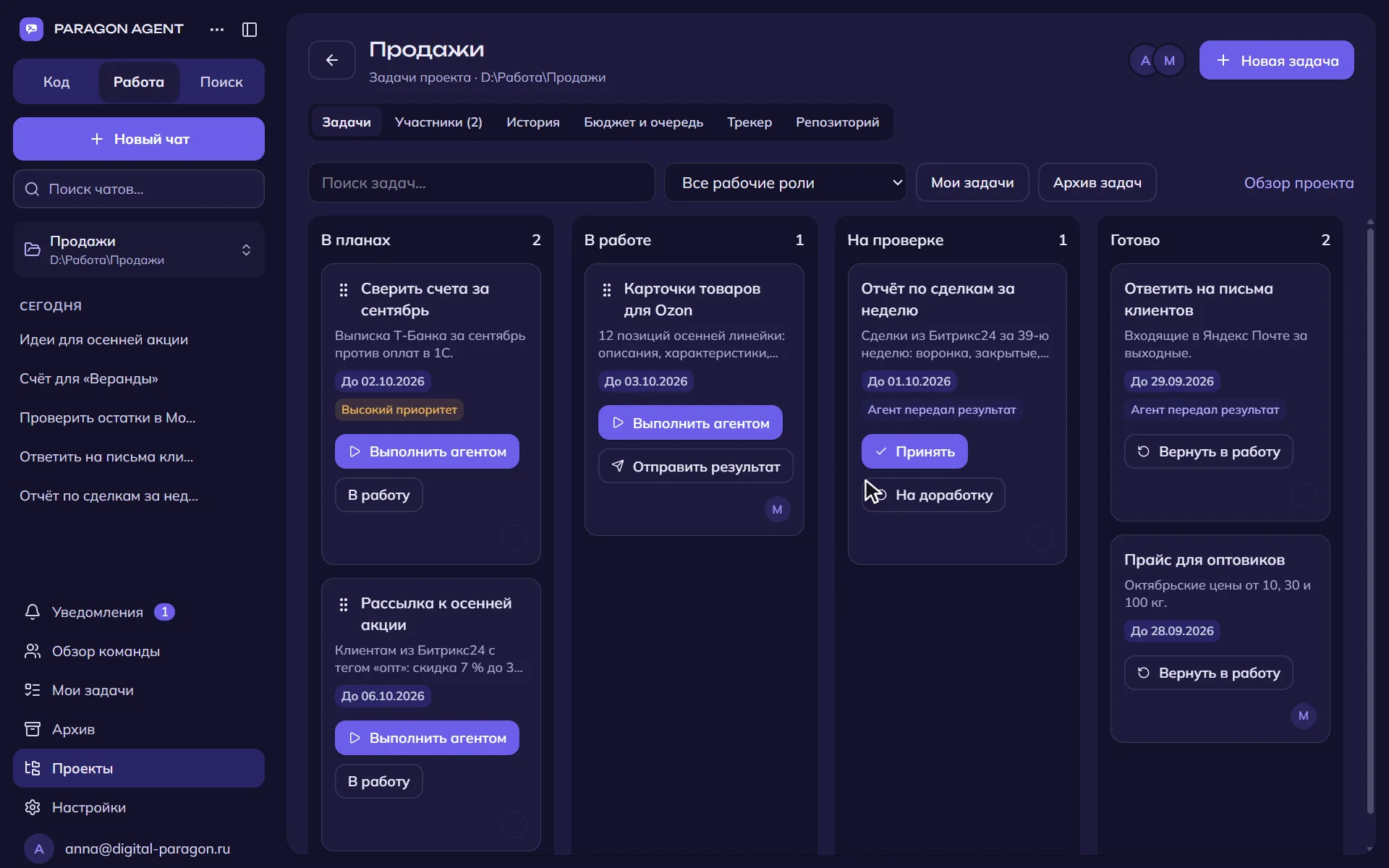
You set the task — the agent does it, you review
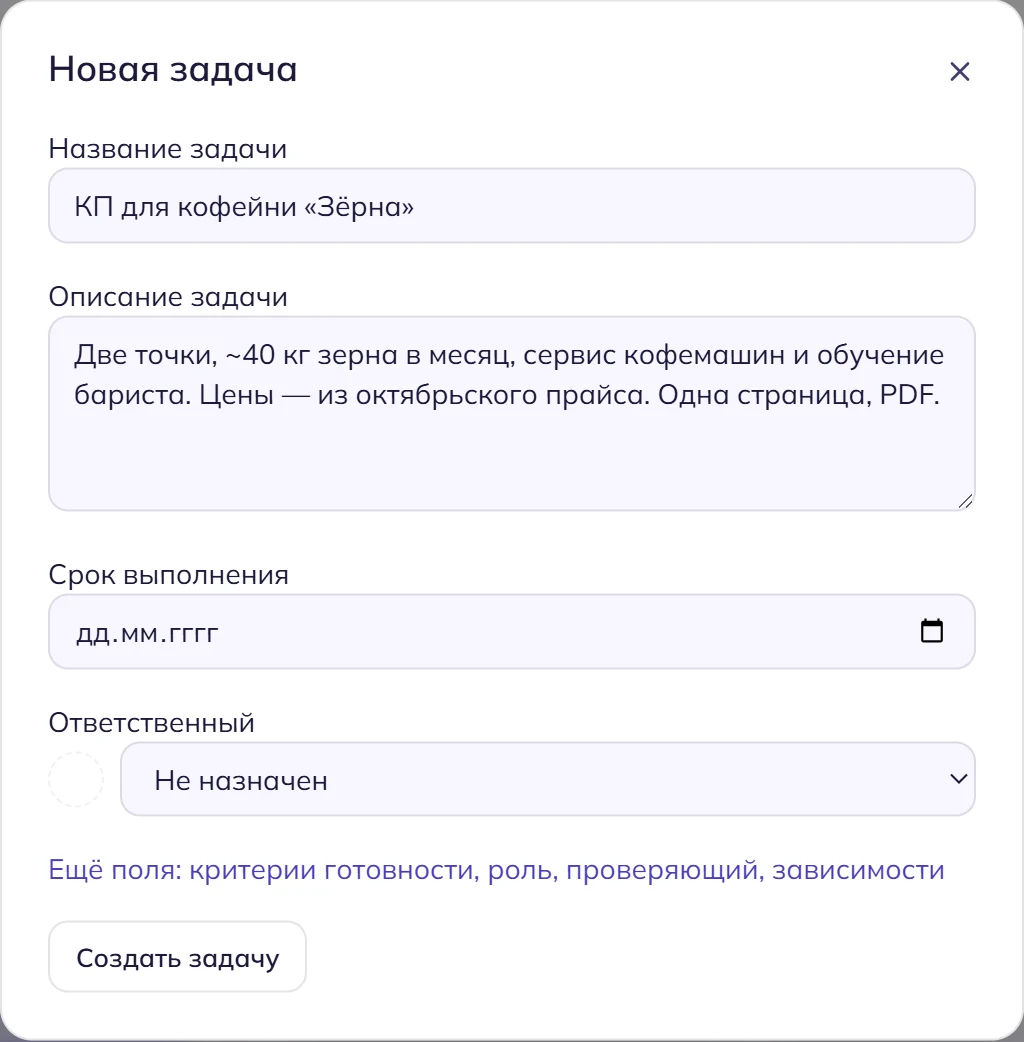
Set the task
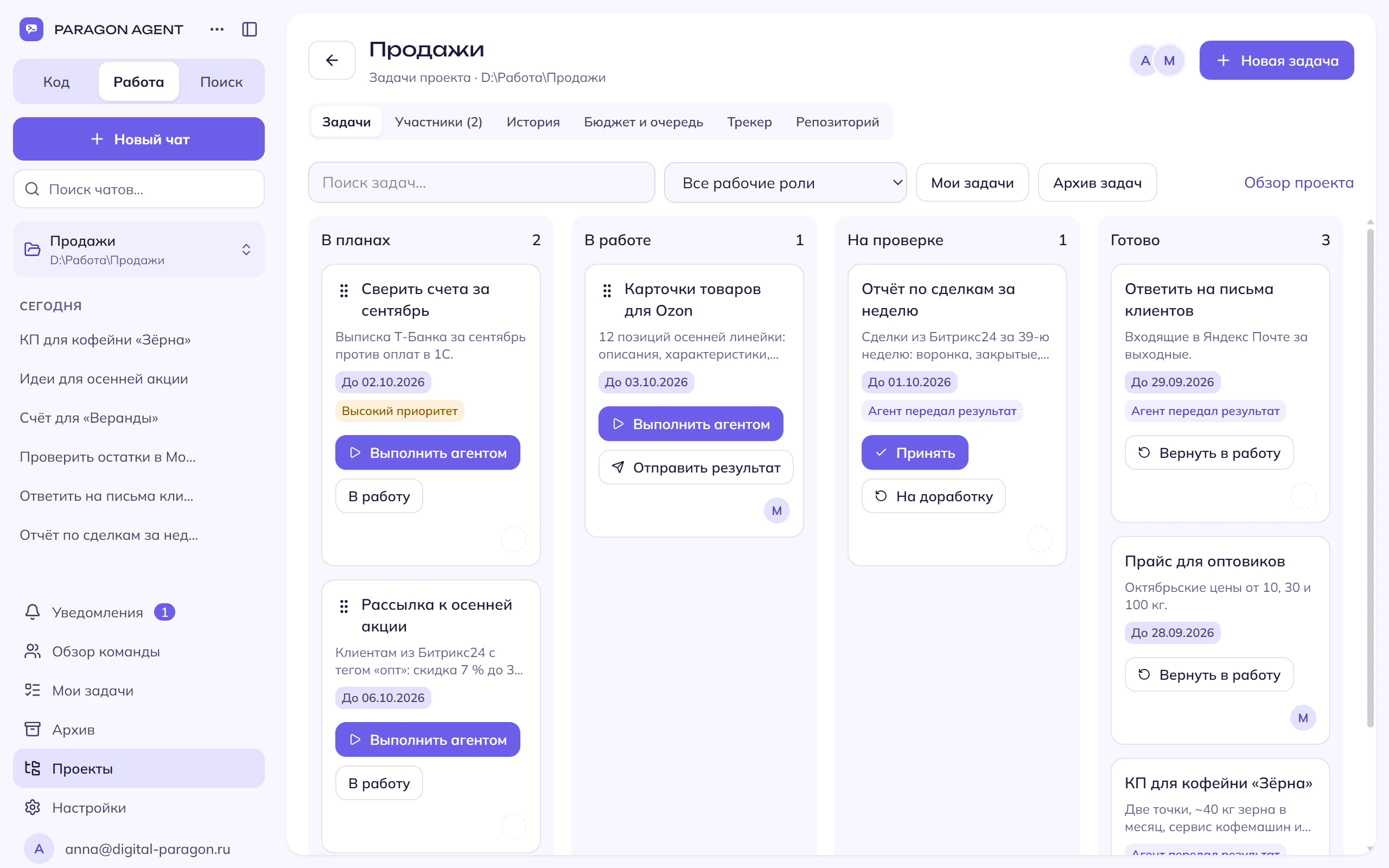
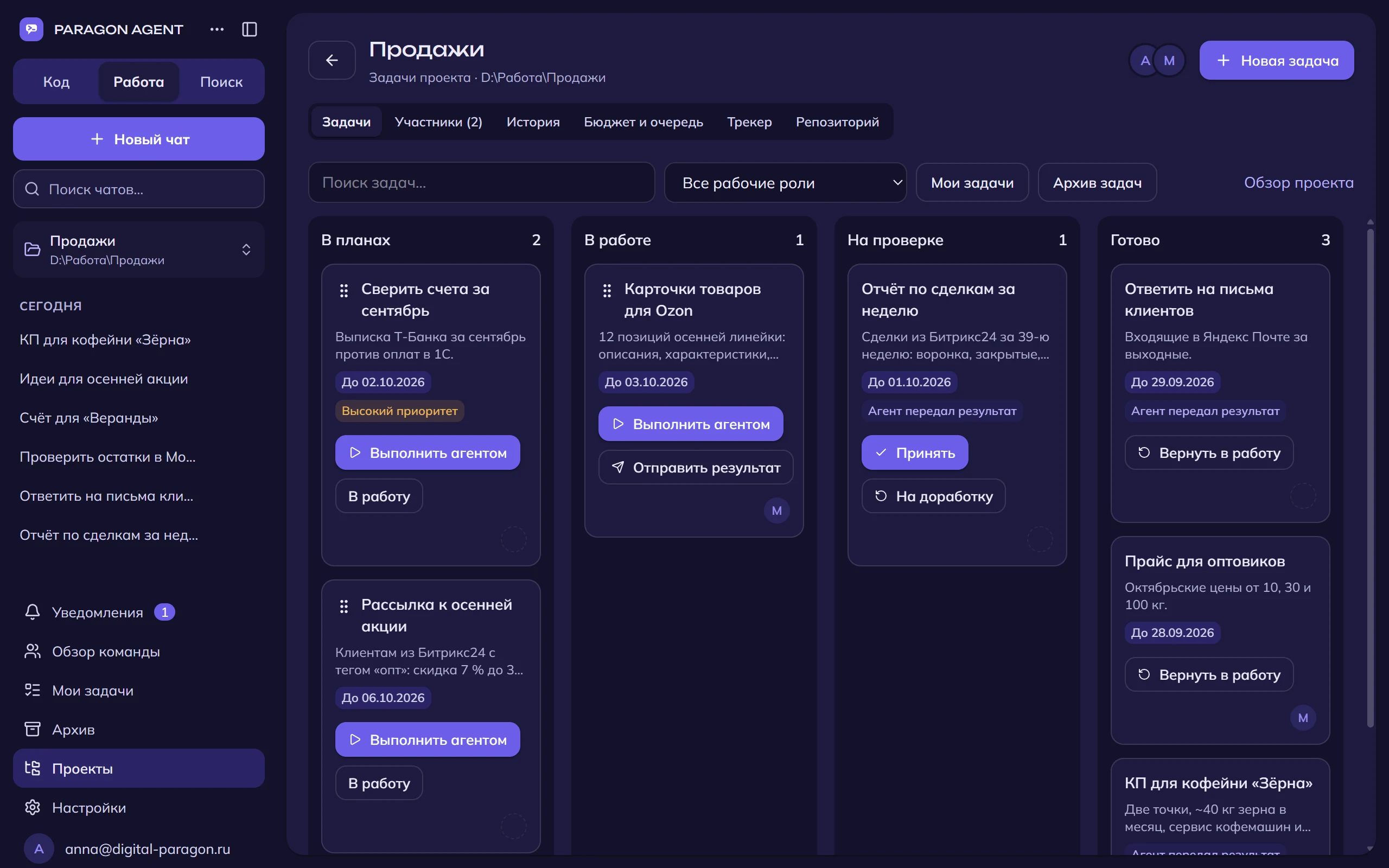
In plain words — as a card on the board or in the chat. Issues from Jira, ClickUp, Yandex Tracker, Kaiten and YouGile appear on the board by themselves.
The agent works
Makes a plan, reads files, calculates, assembles the document — every step is visible. Works with services and programs on your computer or in the cloud; before an email, a deal or a document in 1C it asks for your “yes”.
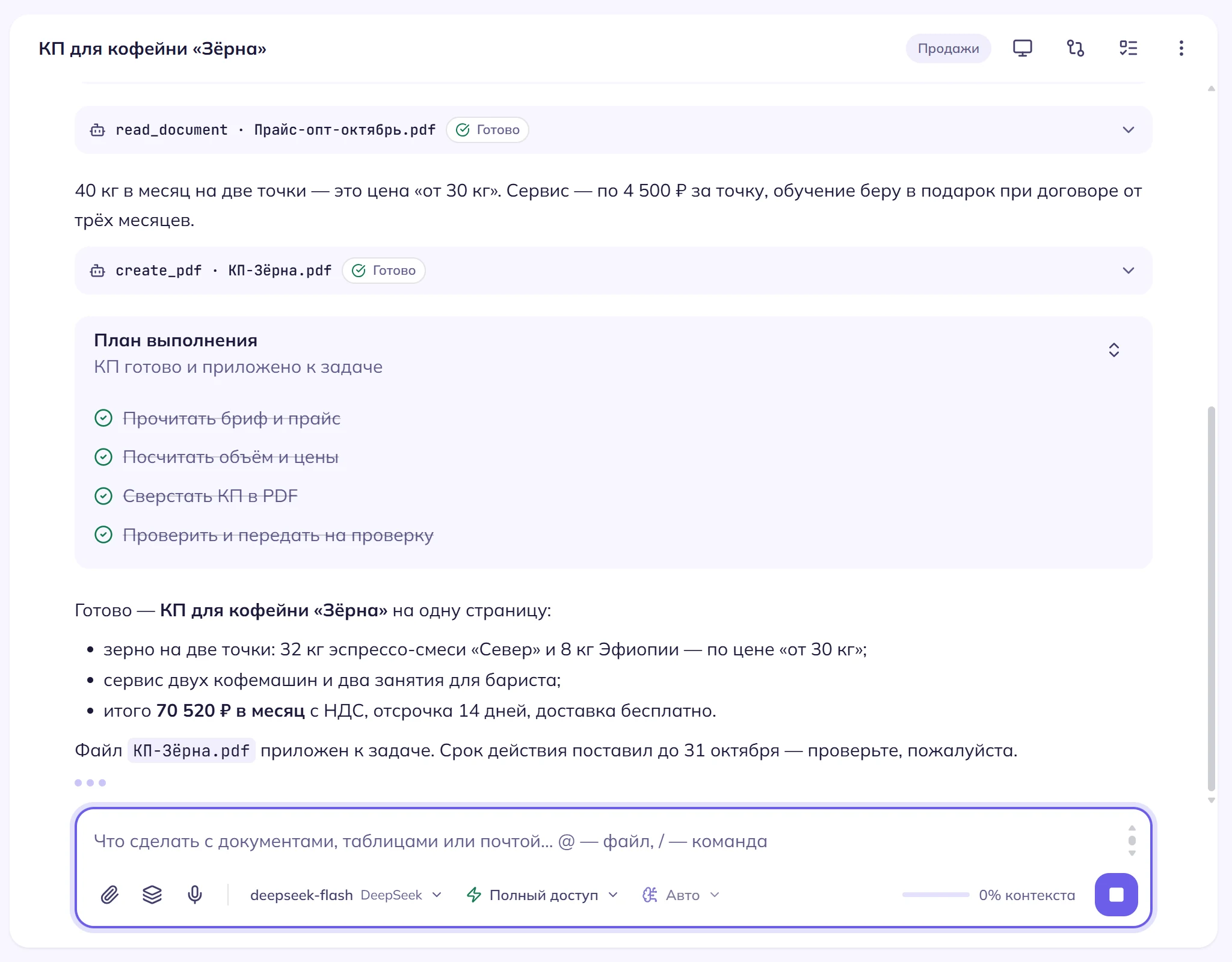
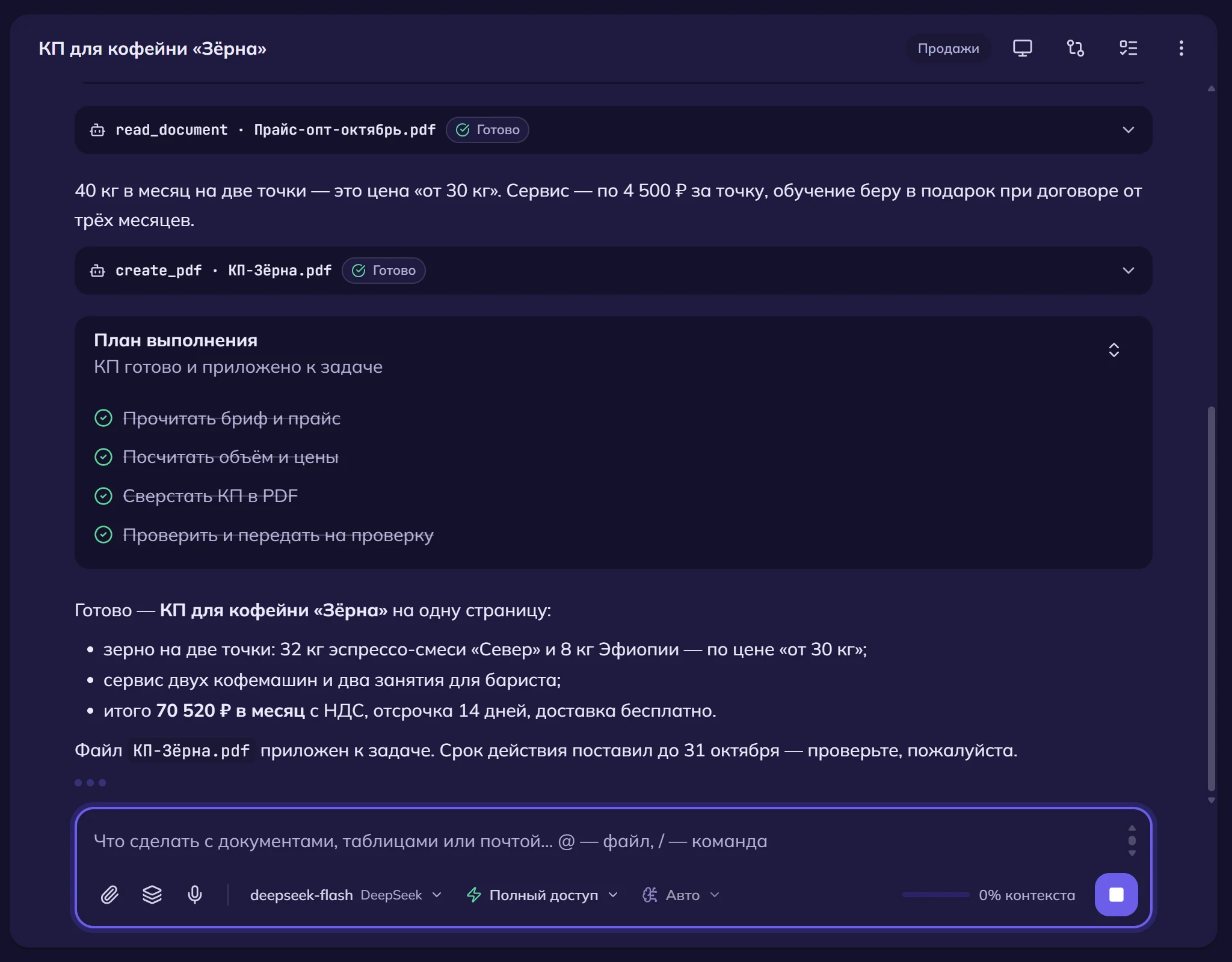
You review
The result and files land in the task card, with the model’s own check against your acceptance criteria. Accept — the task is done; send it back with a note — the agent finishes it.
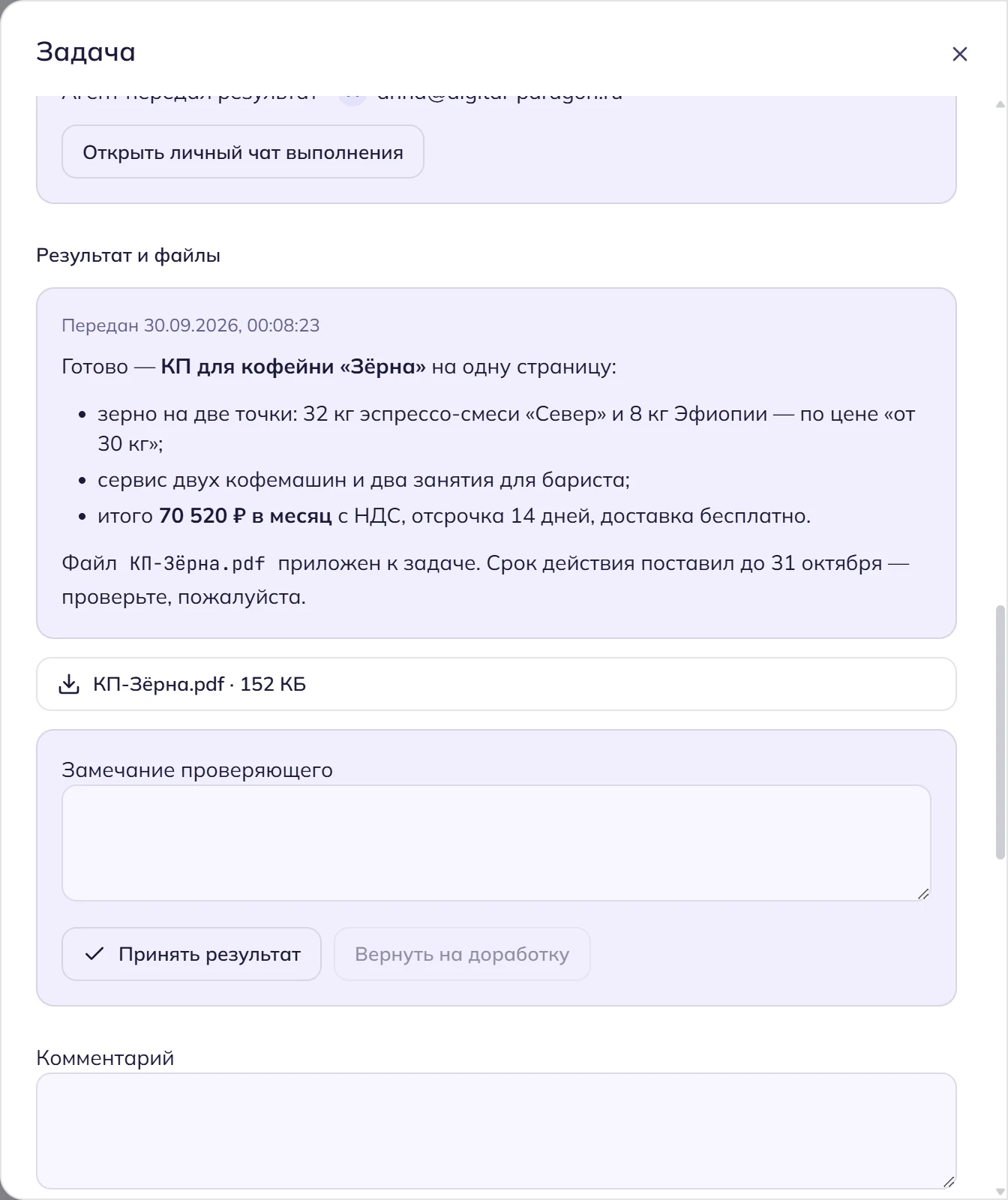
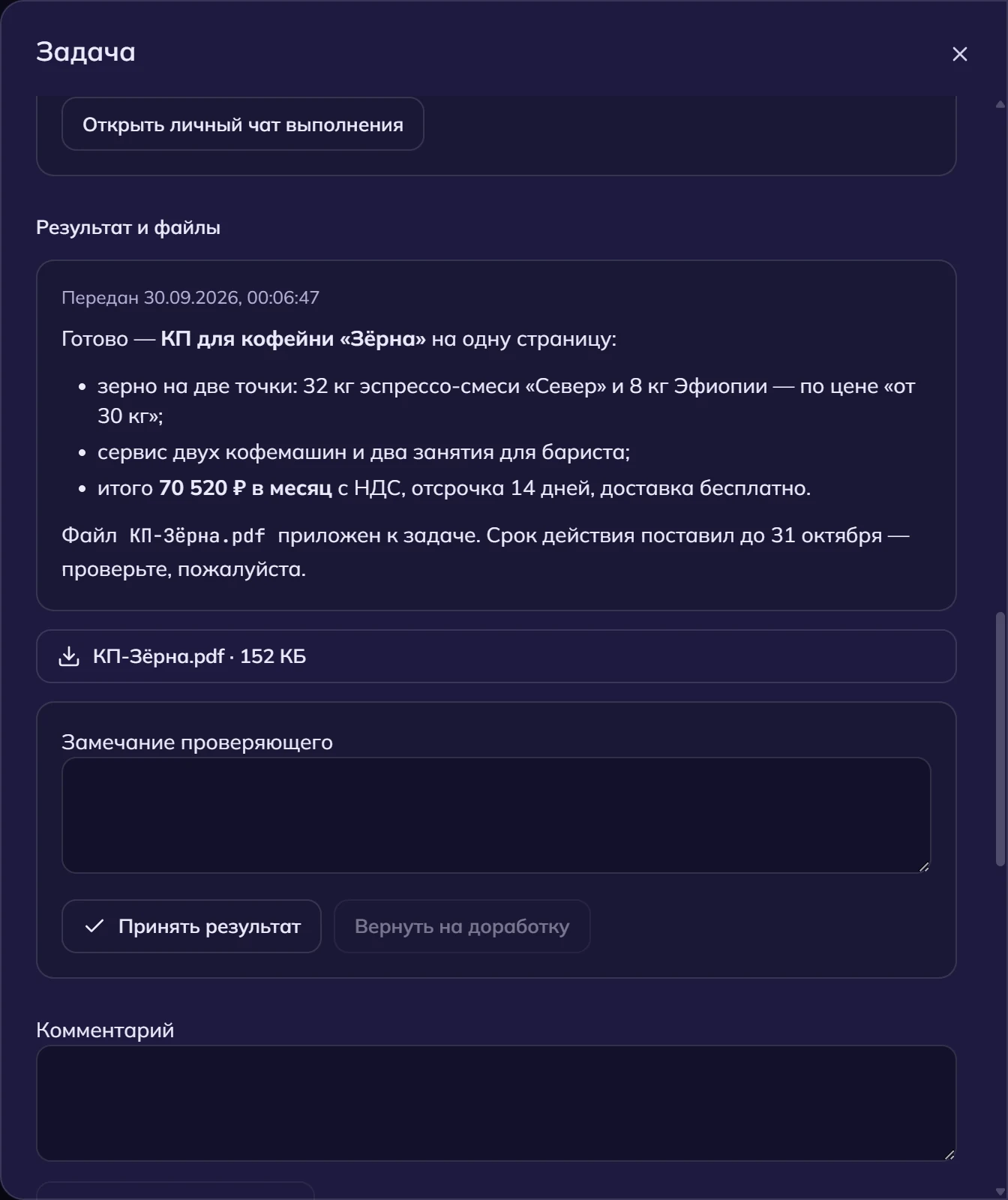
Try with one click
Click a task — it opens in the app with the text ready; pick a folder and press “Send”. If the app is not installed yet, we will offer the download.
Triage today’s inbox
Who is waiting for a reply, what is urgent, draft replies — sent only after your “yes”.
Monthly sales report
From 1C into Excel: by manager and by week, with totals and a comparison to last month.
Commercial proposal
Cover, scope of work, timeline and price in a clean PDF; the agent asks the missing details in one list.
Marketplace stock reconciliation
Stock on WB and Ozon warehouses against your records: a table of discrepancies and what is missing.
Meeting minutes and tasks
From a meeting recording — minutes with decisions, and tasks with owners and due dates go to the board.
Payment terms and penalties in contracts
Reads the contracts in the folder and compiles payment terms, penalties and termination clauses into a table.
Dashboard from an orders export
Revenue by week, average order value, repeat purchases and top products — interactive, right in the chat.
Morning digest in Telegram
Every weekday at 9:00: new CRM deals, unread customer emails, today’s meetings.
Repository audit
Dead code, unused dependencies and vulnerabilities — a list first, changes after your decision.
The app did not open? Install Paragon Agent — download for Windows or for Mac — and click the task again.
One agent for the office, sales and development
Connect your services once — the agent works with them on its own: on request, on a schedule, on an event or from a task on the board. 44 services, including local models via Ollama.
Documents and spreadsheets
Proposals, reports, contracts and decks in a clean design; spreadsheets with formulas.
Email, drive and calendar
Triages the inbox, drafts replies, finds files, schedules meetings.
Messengers
Shows who is waiting for a reply, reads the conversation and drafts answers — sends only after your “yes”.
CRM and accounting
Deals, contacts, stock and documents — reads at once, changes after confirmation.
Marketplaces and banks
Orders, stock and reviews on marketplaces; statements and payments from your bank.
Task trackers and databases
Tracker issues on your board with statuses synced back; read-only SQL, exports and dashboards.
Shared projects where part of the work is done by the agent
- Assignees and reviewersTasks are assigned to people and to the agent; the owner accepts the result.
- Due dates, dependencies, historySee who does what, what is overdue and what awaits review.
- Cloud agent on a shared balanceTasks run in the cloud even when computers are off.
- Results libraryEvery result with its files in one place, searchable.
The Team plan — from 3 seats at 3,490 ₽ per seat, with a shared balance for models.
The agent does — you decide
An email, a deal, a document in 1C, a change in the tracker — the agent shows what it is about to do and waits for your confirmation.
App passwords and service tokens are stored encrypted on your computer. Local models via Ollama keep the data on your machine.
Files with keys and passwords never end up in task results and are never sent to the team.
Instructions found in web pages, emails and documents are not followed — the agent tells you what they asked.
Start for free
A subscription unlocks Work mode (documents, services, computer control) and includes rubles for Digital Paragon models every month. Prices are in rubles; Russian cards accepted.
Your own keys
forever
- Code and Search modes
- Your own model keys, Ollama, or a ChatGPT / Claude subscription
- Task board for your projects
Pro
1,000 ₽ for models every month
- Everything in Work
- Documents, email, 1C, CRM, trackers
- Computer control
- Images and video
Pro+
4,000 ₽ for models every month
- Everything in Pro
- Four times more rubles for models
- For all-day everyday work
Frequently asked questions
Where does the agent run?
On your computer (Windows, macOS on Apple Silicon). The desktop app is the full product; the web version is for chats, tasks and the subscription. Team tasks can also run in our cloud.
Is there an extension for VS Code or Cursor?
Yes — Paragon Agent for VS Code, VSCodium and Cursor on Windows: the same agent in an editor panel, edits right in the file and Tab completions. Download it in the VS Code extension section and sign in with the same Digital Paragon account. The extension offers new versions by itself.
Is there a plugin for PyCharm and other JetBrains IDEs?
Yes — Paragon Agent for PyCharm, WebStorm, IntelliJ IDEA and other JetBrains IDEs 2025.3 or newer on Windows and Linux: its own agent panel, edits right in the file and Tab completions. Get the installer in the JetBrains IDE plugin section and sign in with the same Digital Paragon account. The IDE installs new versions by itself.
Which models can I use?
Digital Paragon models with the subscription; your own keys for DeepSeek, OpenAI, Anthropic, Qwen, Moonshot, Z.ai, OpenRouter; ChatGPT and Claude subscriptions; local models via Ollama.
Will the agent do something I did not ask for?
No. Anything irreversible — sending, paying, changing data in a service — needs your explicit confirmation. Text from web pages, emails and documents is treated as data, not as instructions.
Where is my data stored?
Files, keys and connections stay on your computer. The server keeps your account, chat history and tasks; the database is in Moscow. With Ollama the model runs locally as well.
Can I pay from outside Russia?
Payments are in rubles through a Russian acquirer. If that does not work for you, use your own model keys — Code and Search modes are free.
Try it on your own task
Install the app, pick a folder and hand the agent its first task — it takes a couple of minutes.